 Ankit Gandhi
PetGPT
An AI companion that keeps a dog’s or cat’s medical history in one place and answers owners’ questions about it.
Overview
PetGPT is an AI companion for pet owners. It keeps a pet’s medical history (visits, lab results, medications and reports) in one place and lets owners ask about it in plain language. It works for dogs and cats.
The project began at Incerro. A teammate’s dog was seriously ill and the company, which cares about pets, wanted to build something any pet owner could use openly. I was asked to design a quick prototype that showed how the app would work and look.
The brief
I was given the structure of the app and a document listing its features: pet profiles, a chat with an AI assistant, report uploads and a health timeline. My job was to turn that into screens that show how the product works and looks.
The question I worked on: how can an owner keep track of a sick pet’s records and understand them, without the app replacing the vet?
Approach
I worked in three steps. First I read the feature document and mapped it into four core flows. Then I used Claude Design to produce a first version of the interface. Then I reviewed it and reworked the styles myself in Figma. Three principles guided the screens:
- One pet, one place. Everything about a pet lives under its own profile.
- Calm but clear. Severity is visible, and the language stays plain.
- Ask in your own words, with the right context already attached.
The four flows are:
- First run. Sign in with Google, create a pet profile in three steps, and land on a chat tailored to that pet.
- Understand a report. Attach a PDF or photo to the chat and ask what it says.
- Review the history. Open the timeline, filter by labs, medications or visits, and open an entry’s documents.
- Ask about one entry. From a timeline entry, send it to the chat as context and ask a follow-up.
Switching between pets is also supported.
The solution
Seven screens carry most of the product.
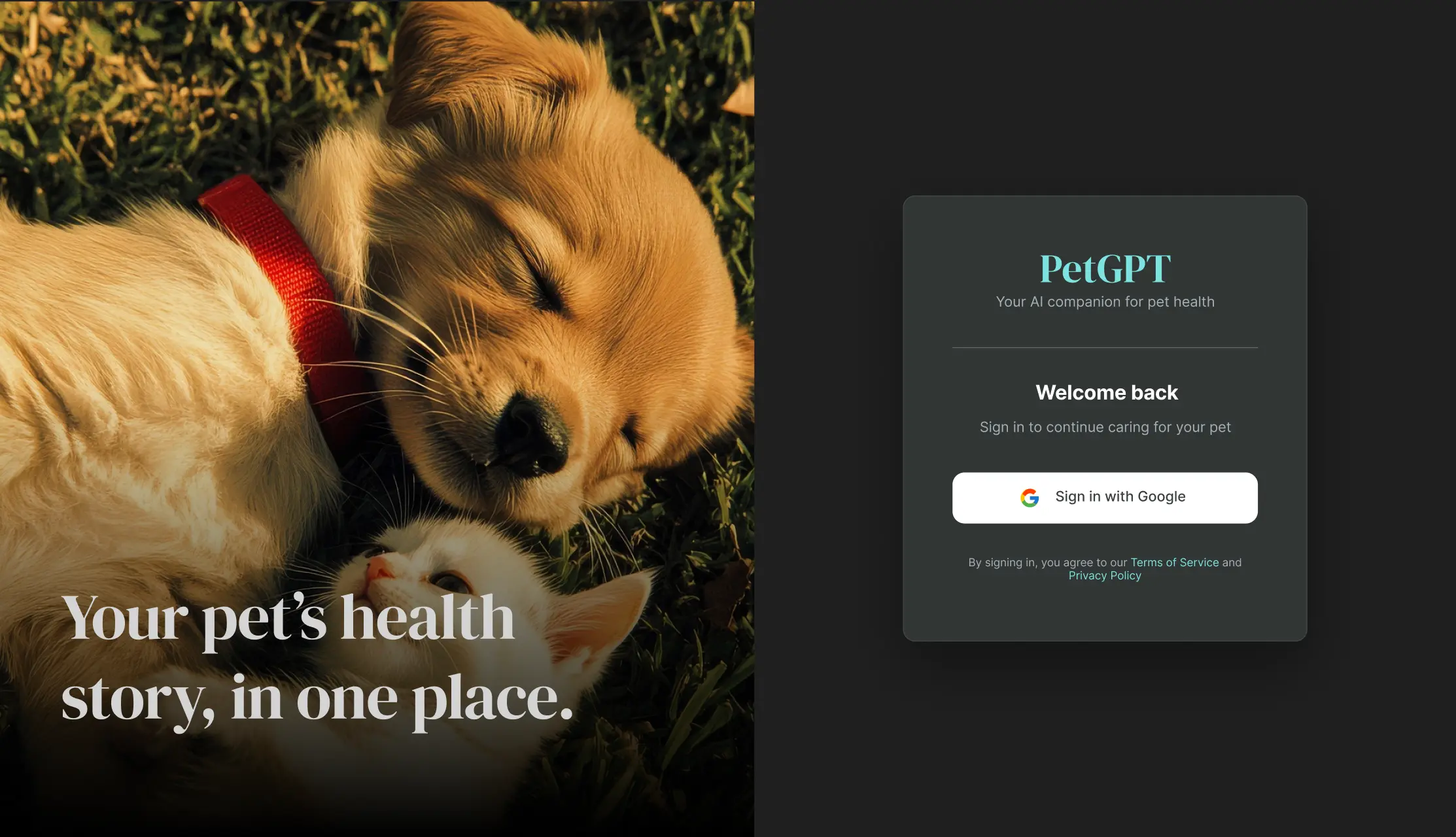
Sign in. One-tap Google sign-in under the promise “Your pet’s health story, in one place.”
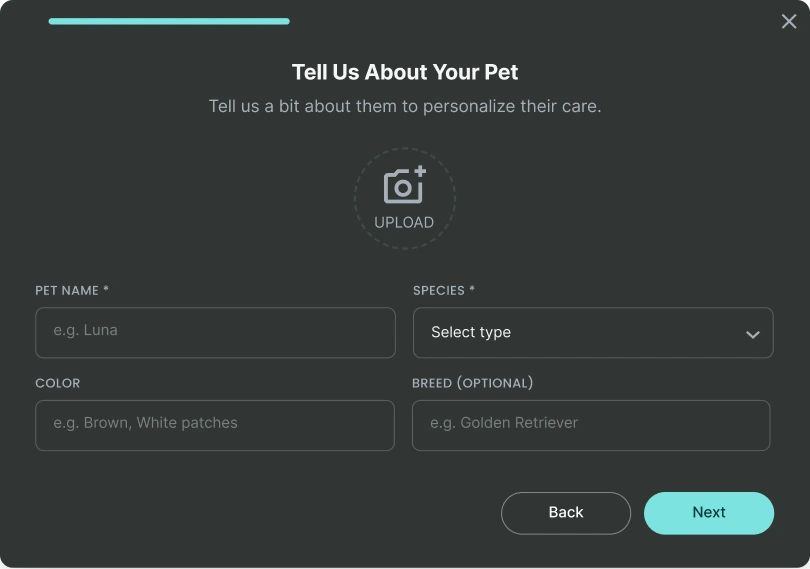
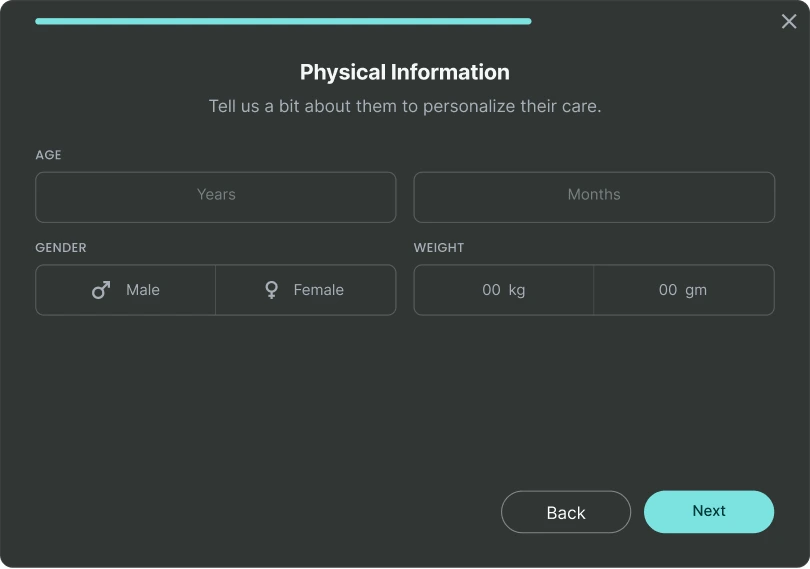
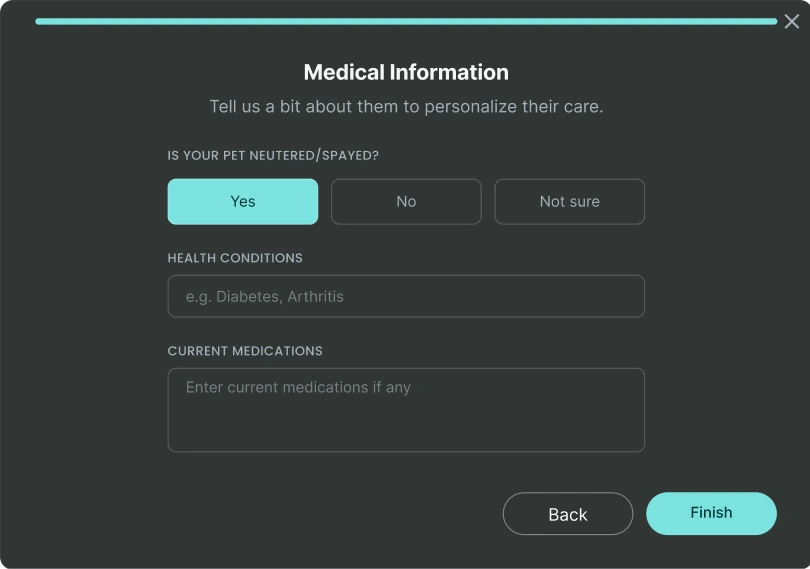
A pet profile in three short steps. Step 1 asks about the pet (photo, name, species, colour, breed). Step 2 covers physical information (age, gender, weight). Step 3 covers medical information (neutered or spayed, health conditions, current medications). Only name and species are required. A progress bar shows how far along the owner is.
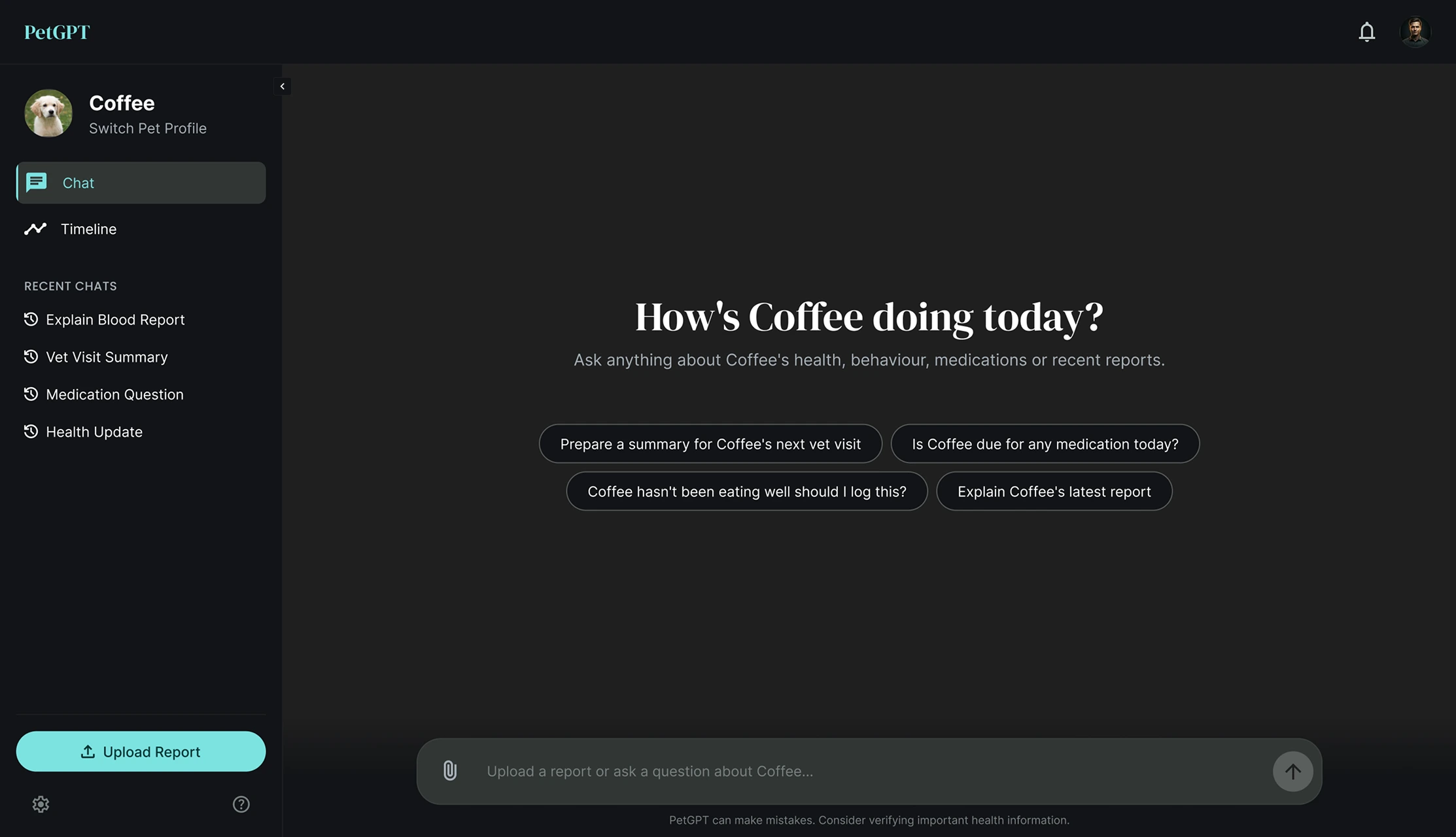
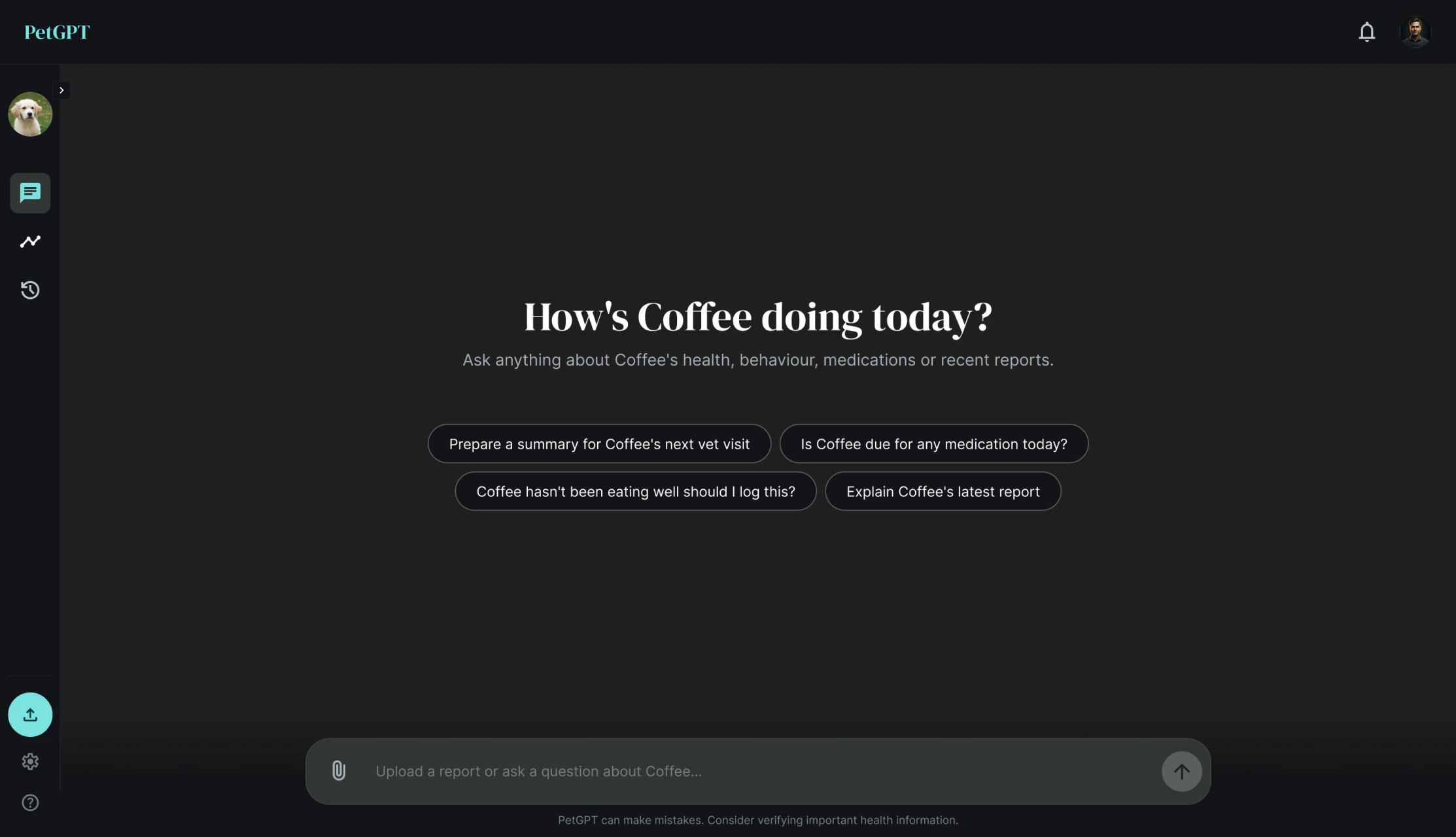
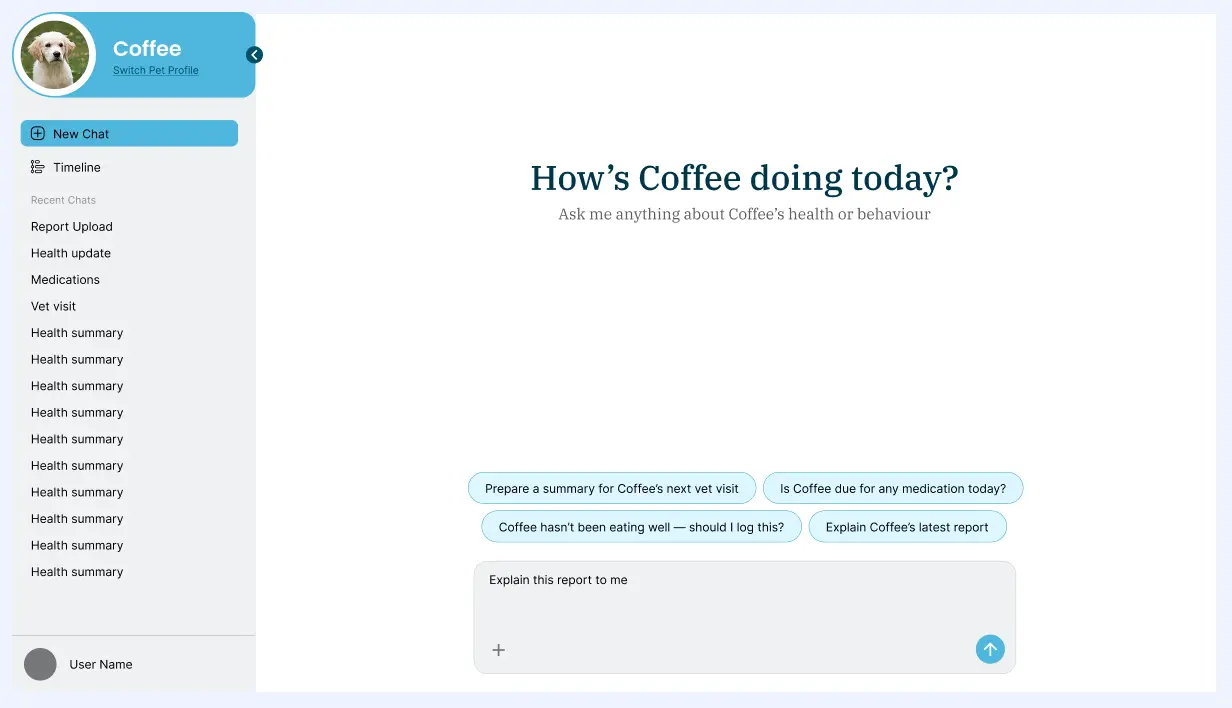
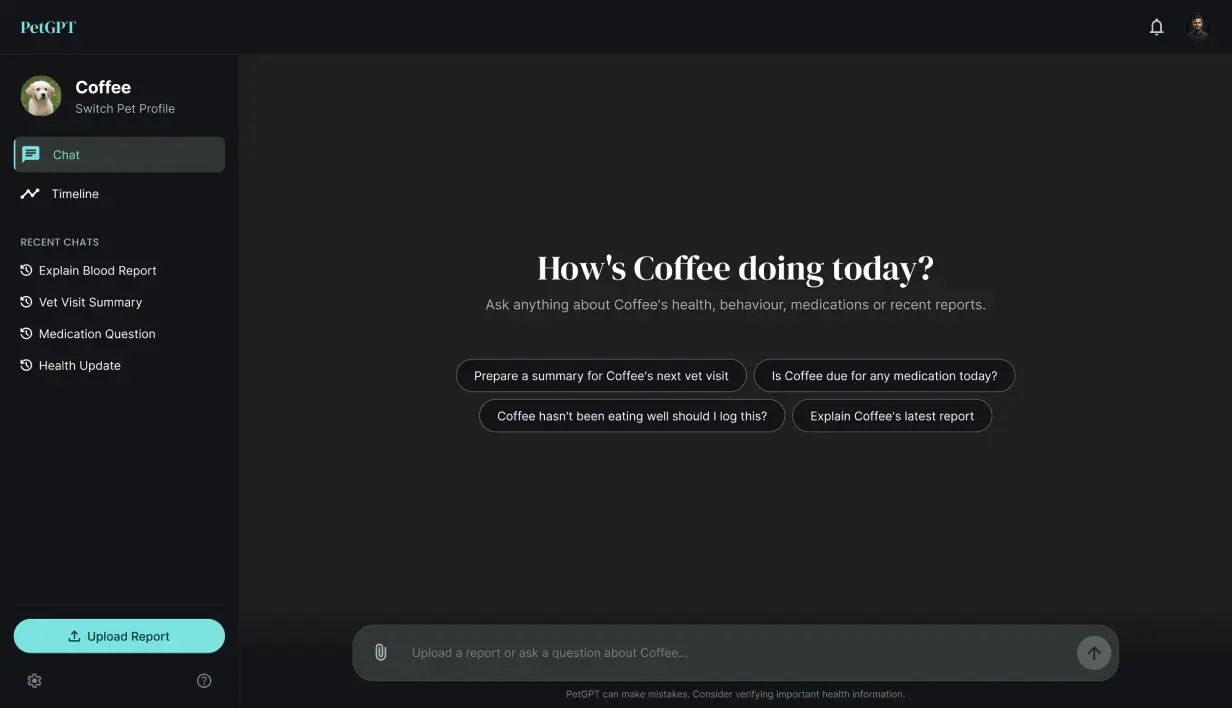
A chat that knows the pet. The home screen greets the owner by pet name and offers four starting questions: prepare a summary for the next vet visit, check whether a medication is due, log a change in eating, and explain the latest report. A note under the composer reminds owners that PetGPT can make mistakes and to verify important health information.
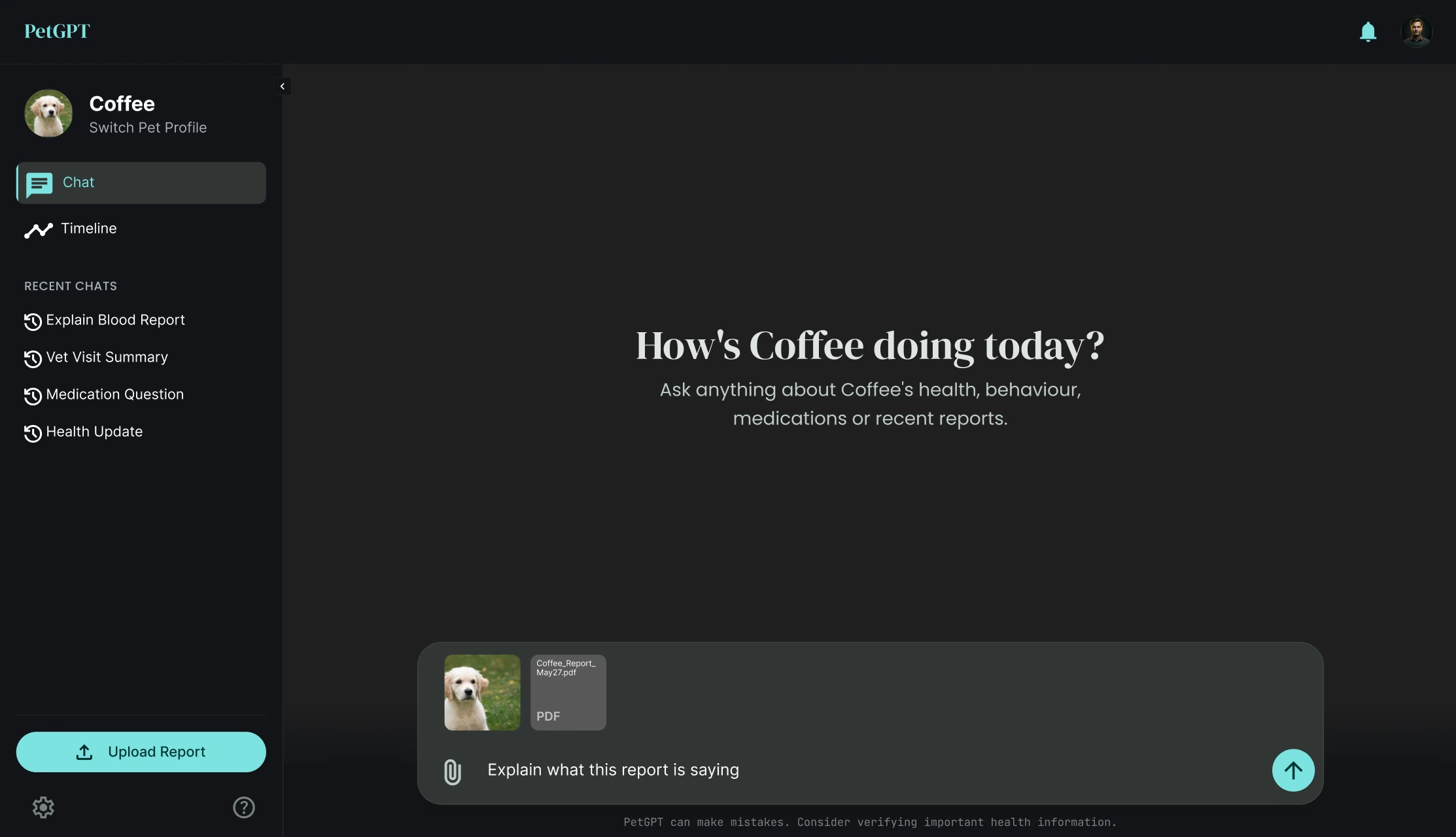
Reports and photos in the chat. Owners attach PDFs and photos and ask in their own words, for example “Explain what this report is saying.”
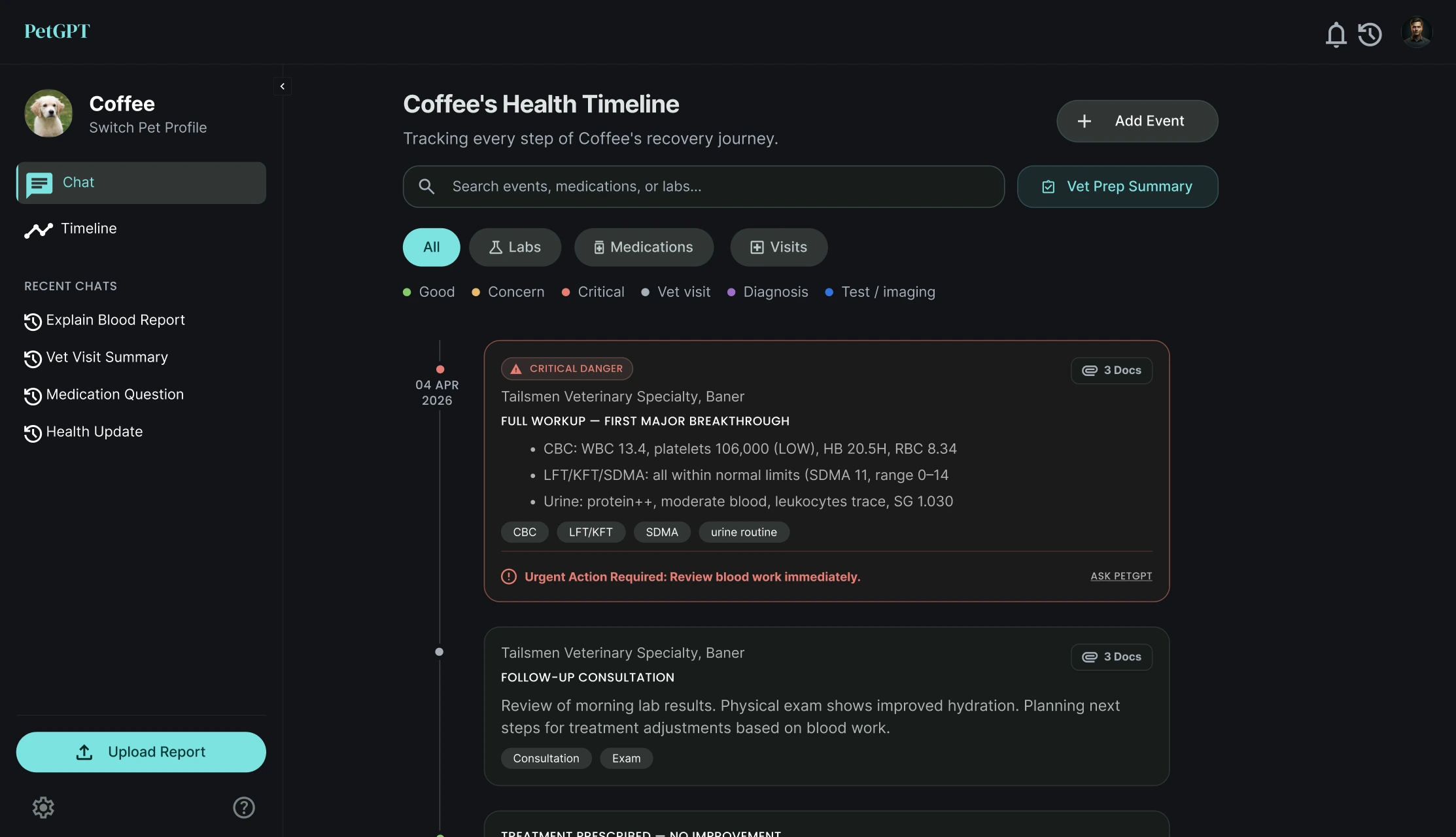
A health timeline. Visits, lab results, medications and diagnoses appear in date order. Filters (All, Labs, Medications, Visits) and a colour legend (resolved, concern, critical, vet visit, diagnosis, test or imaging) help owners scan. Each entry can hold attached documents. Lab values appear as small cards with their reference range and status. Critical entries say what to do next and offer “Ask PetGPT”. Owners can search, add an event, or generate a “Vet Prep Summary” before an appointment.
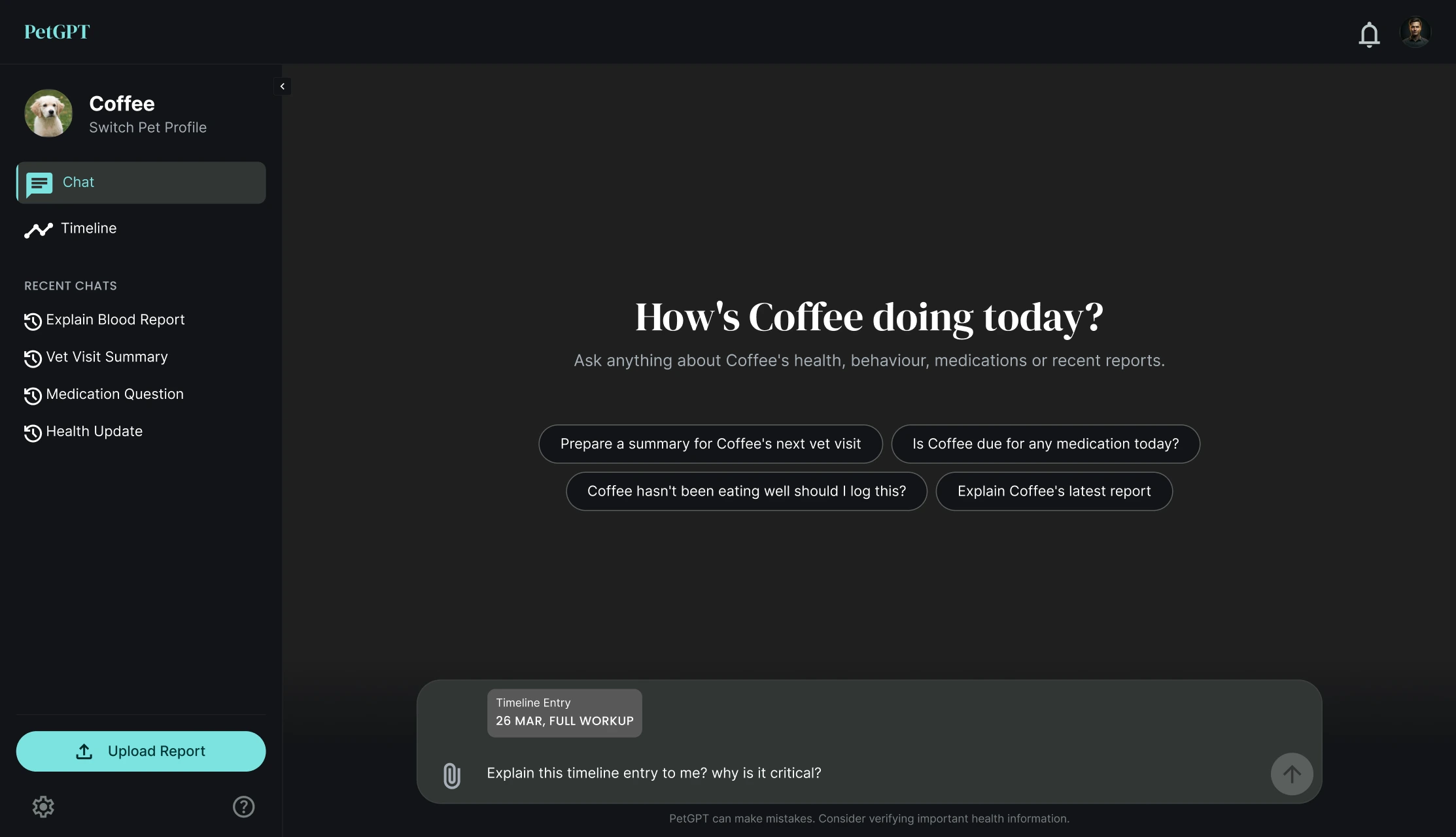
From timeline to chat. “Ask PetGPT” attaches the timeline entry to the chat as a labelled chip (for example “Timeline Entry, 26 Mar, Full workup”), so the owner can ask “why is it critical?” without retyping any details.
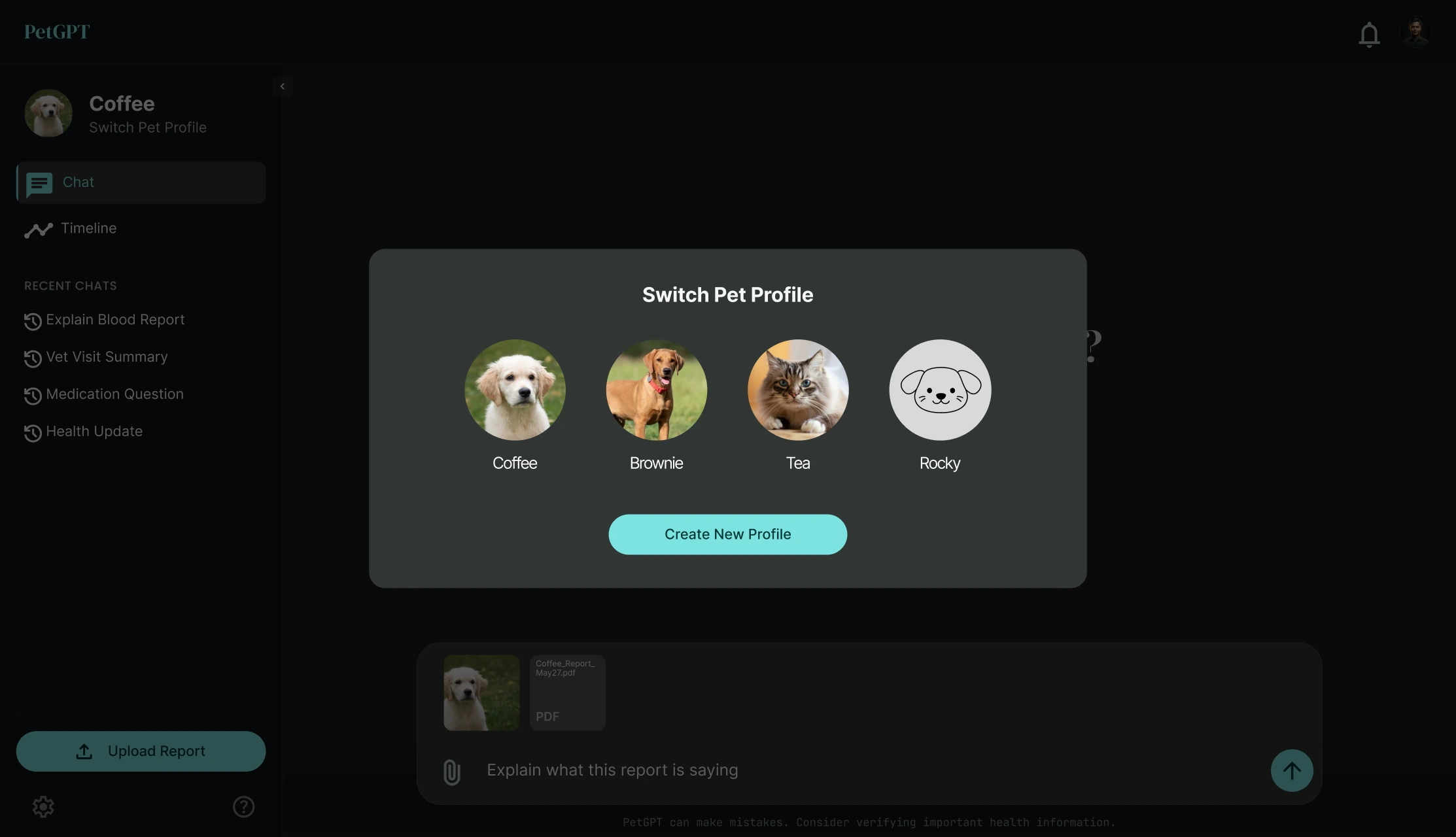
More than one pet. A switcher shows each pet’s profile and a Create New Profile button.
Design decisions
- Making the timeline and the chat work together
The feature document defined a chat and a timeline. I connected them: any timeline entry can be sent to the chat as a labelled chip, so the owner does not retype details. Trade-off: one more element to design and keep consistent across both screens.
- Three short steps, two required fields
Only name and species are required, and the other fields are optional. Trade-off: PetGPT knows less on day one, but the owner reaches the chat quickly.
- Severity you can see, language you can read
Entries are colour-coded, and critical ones say what to do next with a direct link to ask PetGPT. Trade-off: a red card can alarm an owner, so the wording stays plain and the chat reminds owners to verify important health information with their vet.
Designing with AI
I created the screens with Claude Design and treated it as a fast collaborator that needs direction and review.
- The brief I gave it: I described the product and what it needed to do, and used Claude Design to turn that into a first version of the interface.
- What it did well: It gave me a working base for the interface, so I could start by reacting to real screens instead of a blank canvas.
- What it got wrong, and what I changed: The styles did not hold together across screens. I reworked them myself in Figma, including setting one typographic system for the whole product.
- How I grounded the health content: I gave the AI real lab report PDFs to work from, so the terms, values and reference ranges came from actual documents and not from invented examples. This made the content realistic, but it is not a clinical review. A vet would need to review it before launch.
- What I would not hand to AI: The health and medicine data itself. That has to come from real records and be checked by a person.
Outcome and learnings
Status: Prototype.
What I learned
- AI is a fast way to get a first version on screen, but it does not give you a consistent system. Reworking the styles in Figma was where my design judgment mattered most.
- In a health product the data matters as much as the interface. Real reports kept the content realistic, and a person should stay in charge of anything medical.
Limits today. PetGPT supports dogs and cats only. Its answers can be wrong, so the chat reminds owners to verify important health information with a vet. This was a prototype designed from a feature document.
What I would do next. Test the report explanations and the timeline with pet owners. Replace free-text conditions and medications with structured entries so the app can set medication reminders. Add more species once the answers are reliable for dogs and cats.